Last updated:
A digital compliance workflow is a compliance task, such as an inspection, audit, pre-start or hazard report, that is completed on a phone, tablet or computer instead of paper, with the results, follow-up actions and evidence stored in one system.
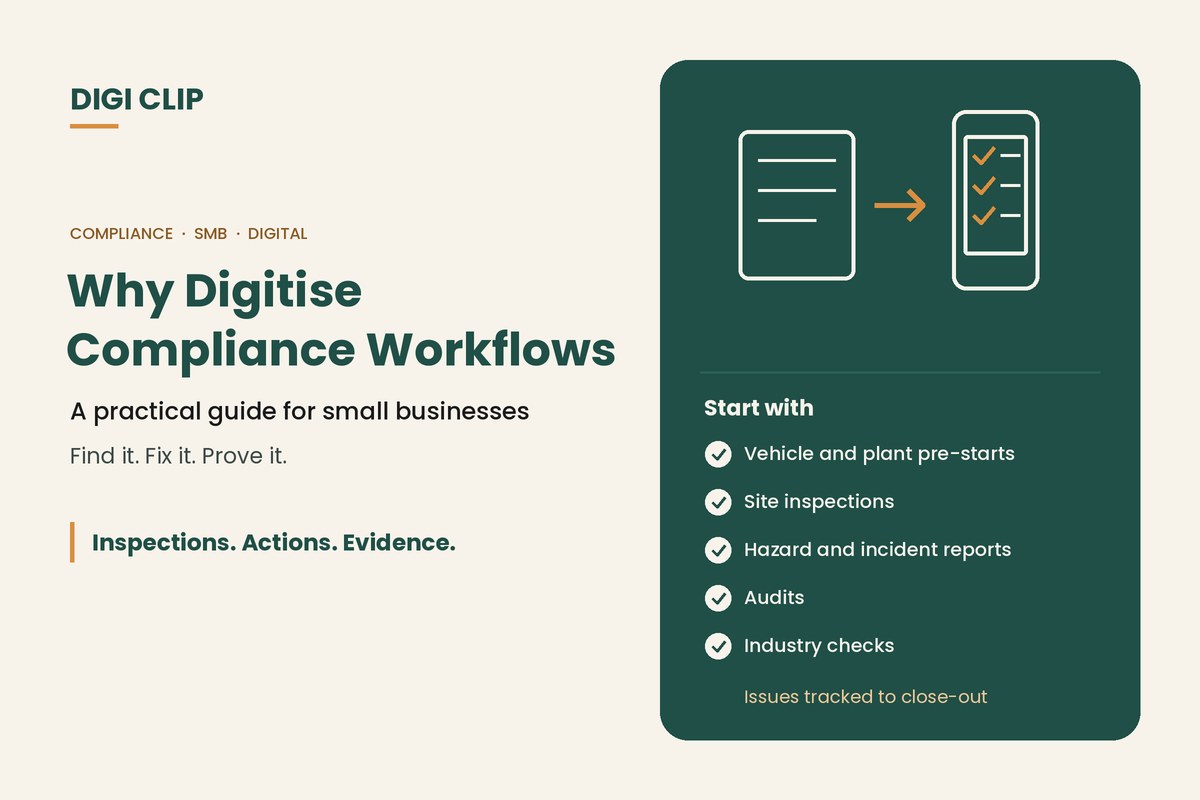
Why Digitise Compliance Workflows? A Practical Guide for Small and Medium Businesses
Most small and medium businesses don’t struggle with knowing what checks to do. They struggle with the paperwork around them: forms that go missing, defects that sit in a folder, and records that take a day to find when an auditor or client asks. This guide explains why digitising compliance workflows helps, which workflows to start with, and how to make the switch without disrupting the business.
Key points
- Paper compliance fails at the handover points: submitting, following up and finding records.
- Digital workflows make issues visible when a form is submitted, not days later.
- Start with high-frequency checks such as pre-starts and site inspections.
- The real gain is follow-up: each issue assigned, tracked and closed out.
- A phased rollout with a pilot team is lower risk than switching everything at once.
Signs your paper process is holding you back
- Forms arrive days late, incomplete or not at all.
- Defects and hazards are written down but nobody is sure who is fixing them.
- Finding records for an audit, client or insurer takes hours.
- Different sites use different versions of the same form.
- Spreadsheets are used to chase actions, and they are always out of date.
- You can’t easily tell whether checks were done at all.
What changes when you digitise
| Workflow step | On paper | Digital |
|---|---|---|
| Completing the check | Handwritten, sometimes illegible | Structured answers, photos and signatures |
| Proving when and where | Relies on what was written | Each form is time-stamped and location-stamped |
| Reporting an issue | Depends on someone reading the form | Failed items create assigned actions |
| Following up | Chased by phone, email or spreadsheet | Actions tracked to close-out, with alerts when overdue |
| Finding records | Filing cabinets and folders | Stored centrally and exported when needed |
| Seeing the big picture | Manual collation | Dashboards across sites and teams |
For a look at the ongoing costs of paper, see what paperless safety checklists are.
Which workflows to digitise first
Start where volume is high and follow-up matters most:
- Pre-starts for vehicles, plant and forklifts. See our truck pre-start checklist app and heavy equipment inspection app.
- Site and workplace inspections, such as weekly safety walks and housekeeping checks.
- Hazard and incident reports, so issues reach the right person quickly. See Safety Tracker.
- Audits, such as internal WHS or quality audits. See our workplace safety audit checklist.
- Industry checks, such as food safety logs, cleaning records or chain of responsibility evidence.
How to digitise compliance workflows
- List your current forms. Note who completes each one, how often, and what happens to it afterwards.
- Pick one or two to start. Choose high-frequency checks where missed follow-up causes real problems.
- Build or adapt the forms. Start from a template and tailor it to your equipment and sites.
- Set up follow-up. Decide which answers create actions, who they go to and how they are closed out.
- Run a pilot. Trial with one team or site, fix what doesn’t work, then roll out.
- Review the data. Use completion rates and open actions to see where the process needs attention.
Digitising compliance with DIGI CLIP
DIGI CLIP puts inspections, pre-starts and audits on your team’s phones and tablets on iOS and Android. Forms include photos and digital signatures, and each form is location- and time-stamped. Smart fields create an action in the Action Log when a “No”, “Not OK” or “At Risk” answer is recorded, and overdue actions trigger escalation emails. Forms can be completed without coverage and submitted with a tap once back online. Dashboards are included on every plan, records export to PDF, Excel and CSV, and billing is monthly with no minimum users. To compare tools, see our inspection checklist app guide.
Illustrative scenario: a small business moves its site inspections
A landscaping business with three crews runs weekly site inspections on paper, and findings often sit in the ute for days. It moves the inspection to DIGI CLIP first. A crew leader records an unguarded trench edge with a photo, the answer creates an action for the site supervisor, and it’s closed out the same afternoon with a photo of the barrier in place. After a month, the owner adds vehicle pre-starts.
This scenario is illustrative. It shows how a business could use DIGI CLIP and is not an account of a specific customer.
Take Your First Workflow Off Paper
Start with one checklist, put it on your team’s phones, and see issues land in the Action Log, ready to fix and prove.
Start Your 14-Day Free TrialNo credit card required. Set up in minutes.
Frequently asked questions
What is a digital compliance workflow?
A compliance task, such as an inspection, audit, pre-start or hazard report, completed on a phone, tablet or computer, with the results, follow-up actions and evidence stored in one system.
Why should small businesses digitise compliance?
Because paper tends to fail at the handover points. Digital workflows make issues visible when forms are submitted, track follow-up to close-out, and make records easy to find for audits, clients and insurers.
Which compliance workflows should be digitised first?
High-frequency checks where follow-up matters, such as vehicle and plant pre-starts, site inspections, and hazard and incident reports.
How long does it take to digitise a compliance workflow?
A single checklist can often be set up and trialled within days, especially when starting from a template. A full rollout is usually done in stages.
Do digital forms work without internet access?
In DIGI CLIP, yes. Forms can be completed without coverage, saved to the Offline Folder and submitted with a tap once the device is back online.
Can we keep using our existing checklists?
Yes. Your existing checklists can be rebuilt as digital forms, or you can start from a template in the DIGI CLIP Form Library and adapt it.
About DIGI CLIP Mobile Forms
DIGI CLIP is an Australian-built mobile checklist and inspection platform. Inspections. Actions. Evidence. Teams complete checks on a phone or tablet, turn defects into assigned actions, and keep the proof that each one was fixed and verified.
See our Form Library for ready-made templates.