Last updated:
Truck Pre-Start Checklist App: What to Look For in 2027
Last updated: 25 November 2026
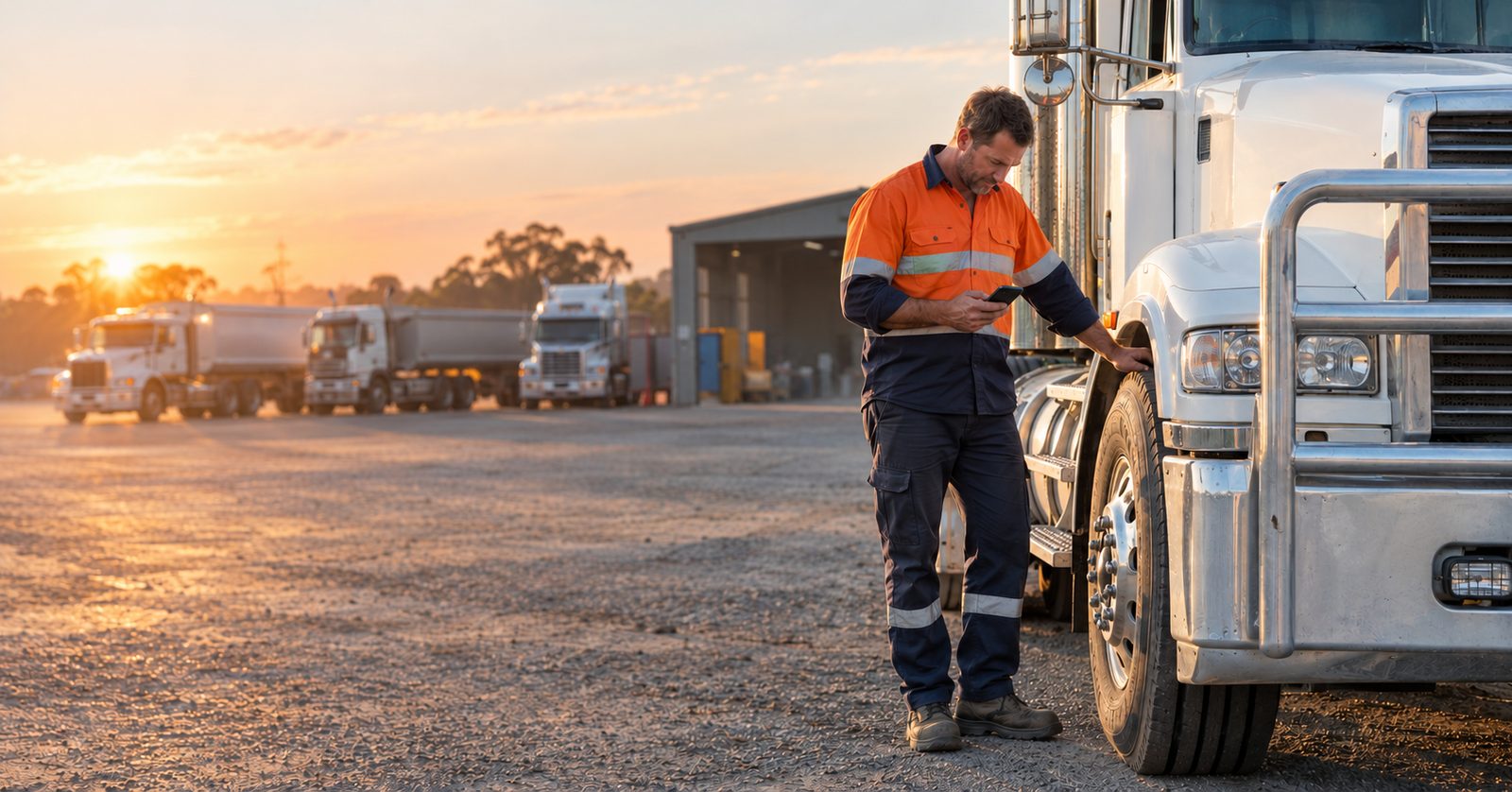
If you’re choosing a truck pre-start checklist app for 2027, the job has changed. A paper-replacement tick-and-flick form used to be enough. Since the Heavy Vehicle National Law changed on 1 August 2026, the question is whether your pre-starts can show that a driver was fit to drive, that defects were found, and that they were actually fixed.
This guide covers what’s changed, the eight things worth checking in any app, and a simple way to trial one in a week before you commit.
The short answer: a good truck pre-start checklist app in 2027 should include a fit-for-duty declaration, work offline, capture photo evidence of defects, turn failed checks into tracked actions, and keep timestamped records you can produce on demand. Everything else is a bonus.
What’s changed for pre-starts in 2026–27
The amended Heavy Vehicle National Law (HVNL) started on 1 August 2026 in the participating states and territories. For anyone running trucks over 4.5 tonnes, three changes matter most for your pre-start process:
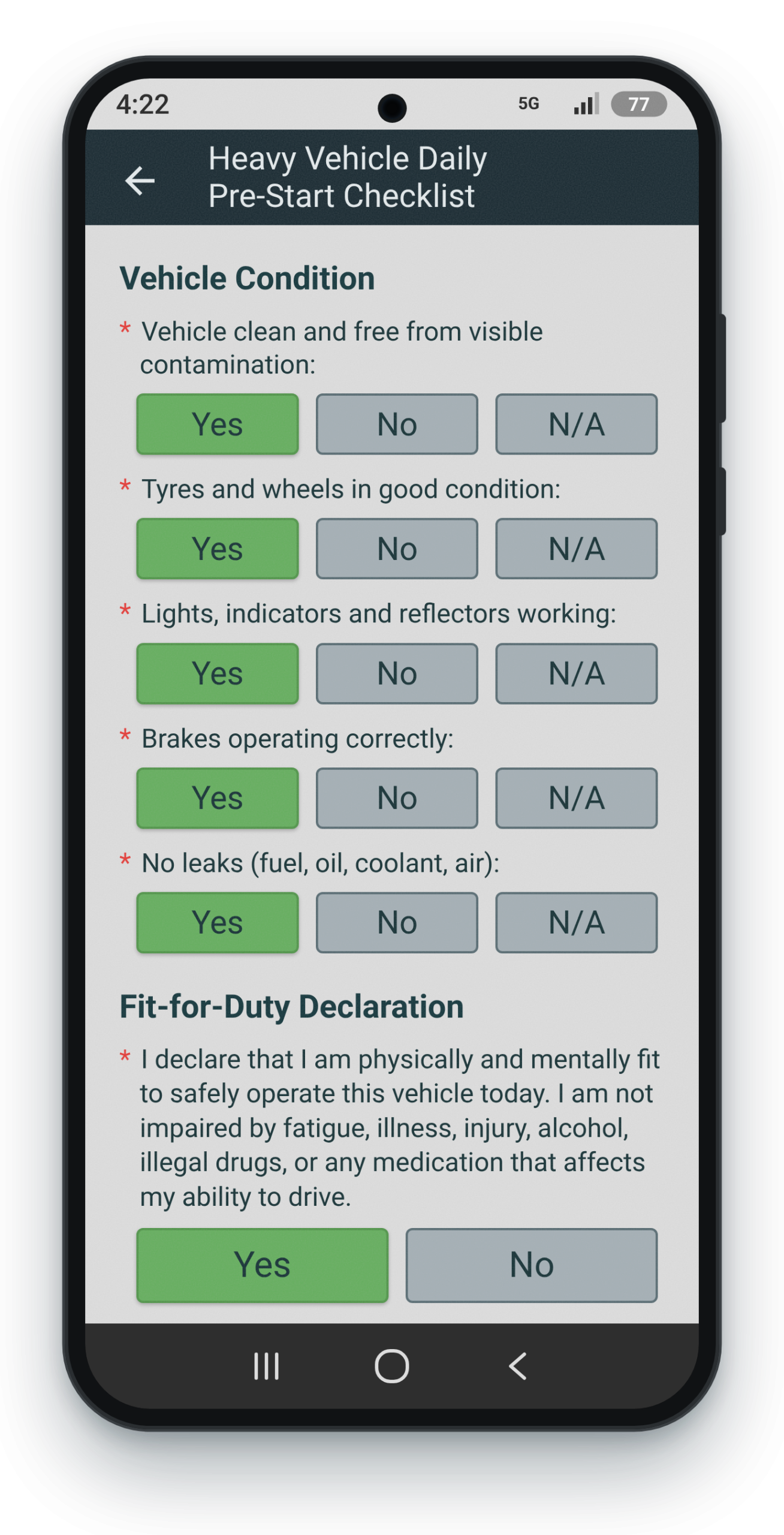
- A new “unfit to drive” duty. Drivers now have a duty not to drive while unfit, which goes beyond fatigue. Operators and employers are expected to have processes that support it, so many are adding a fit-for-duty declaration to the start-of-shift routine (illness, injury, medication and wellbeing, not just hours of rest).
- NHVAS is being replaced by HVA. From 1 August 2026 the NHVR can’t grant new NHVAS accreditation. Existing operators move across to the new Heavy Vehicle Accreditation (HVA) scheme as their accreditation expires, with a transition period of up to three years. The new scheme has two tiers: General Safety Accreditation (GSA), the foundation, awarded after a successful audit of your safety management system (SMS), and Alternative Compliance Accreditation (ACA), covering fatigue and mass, which you can only access once you hold GSA. Maintenance sits under GSA – Maintenance Assurance Program (GSA-MAP). Either way, auditors will want evidence your SMS is used day to day, which is why records like pre-starts and defect follow-up matter.
- Evidence matters more. Regulators and auditors increasingly look for a trail: defect reported, assigned, fixed, signed off. A pile of completed forms with no follow-up doesn’t tell that story.
The 2026 Master Code is worth a read too. The NHVR is clear that it doesn’t create new legal obligations, but it’s a practical guide to how a business can manage safety risk.
This isn’t legal advice. Check the NHVR website for how the changes apply to your operation, and note the HVNL doesn’t apply in Western Australia or the Northern Territory.
8 things to look for in a truck pre-start checklist app in 2027
| What to check | Why it matters |
|---|---|
| 1. Fit-for-duty questions built in | You should be able to add a driver declaration to the same pre-start, not run it as a separate form. |
| 2. Works offline | Yards, depots, farms and regional routes have patchy coverage. The checklist should complete offline and sync when the phone reconnects. |
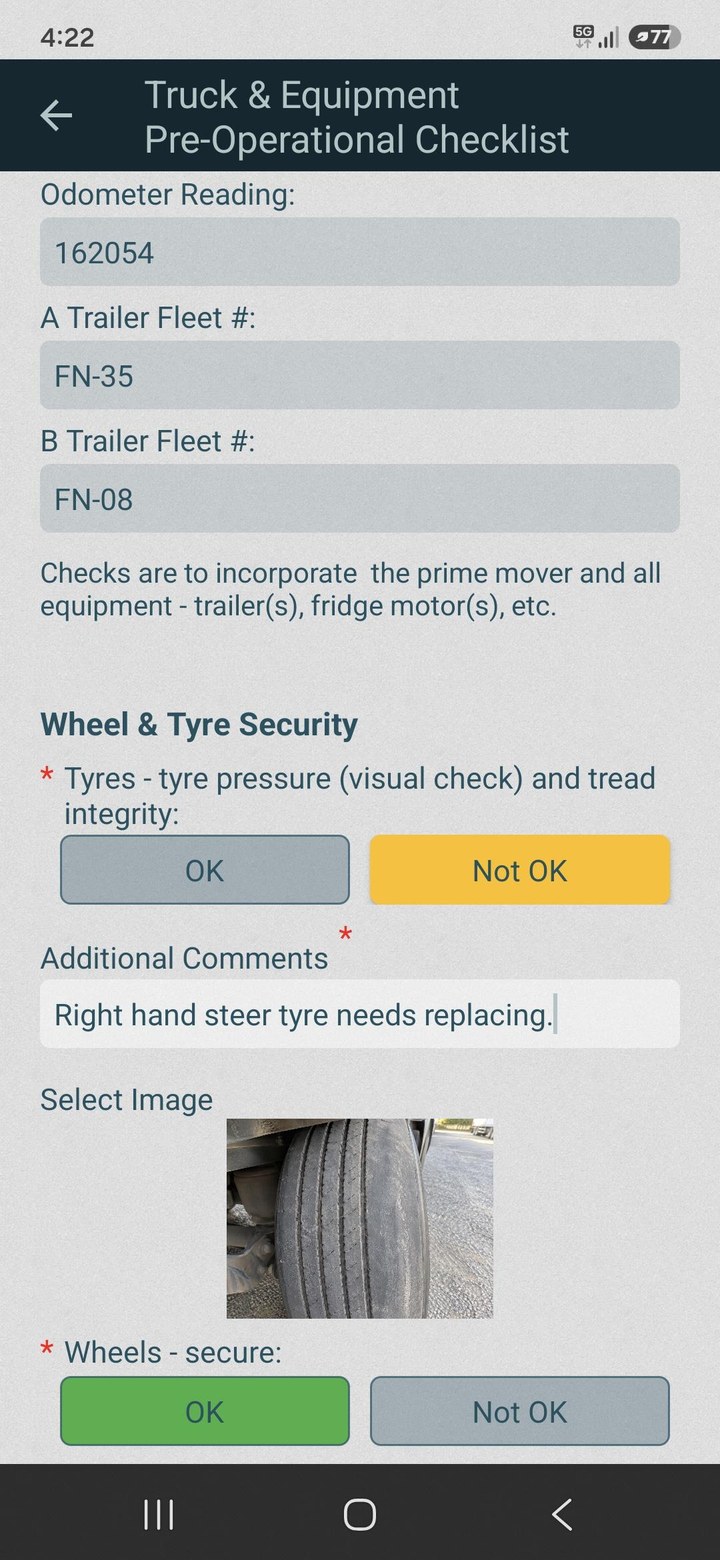
| 3. Photo evidence on defects | “Tyre worn” is an opinion. A timestamped photo is evidence. |
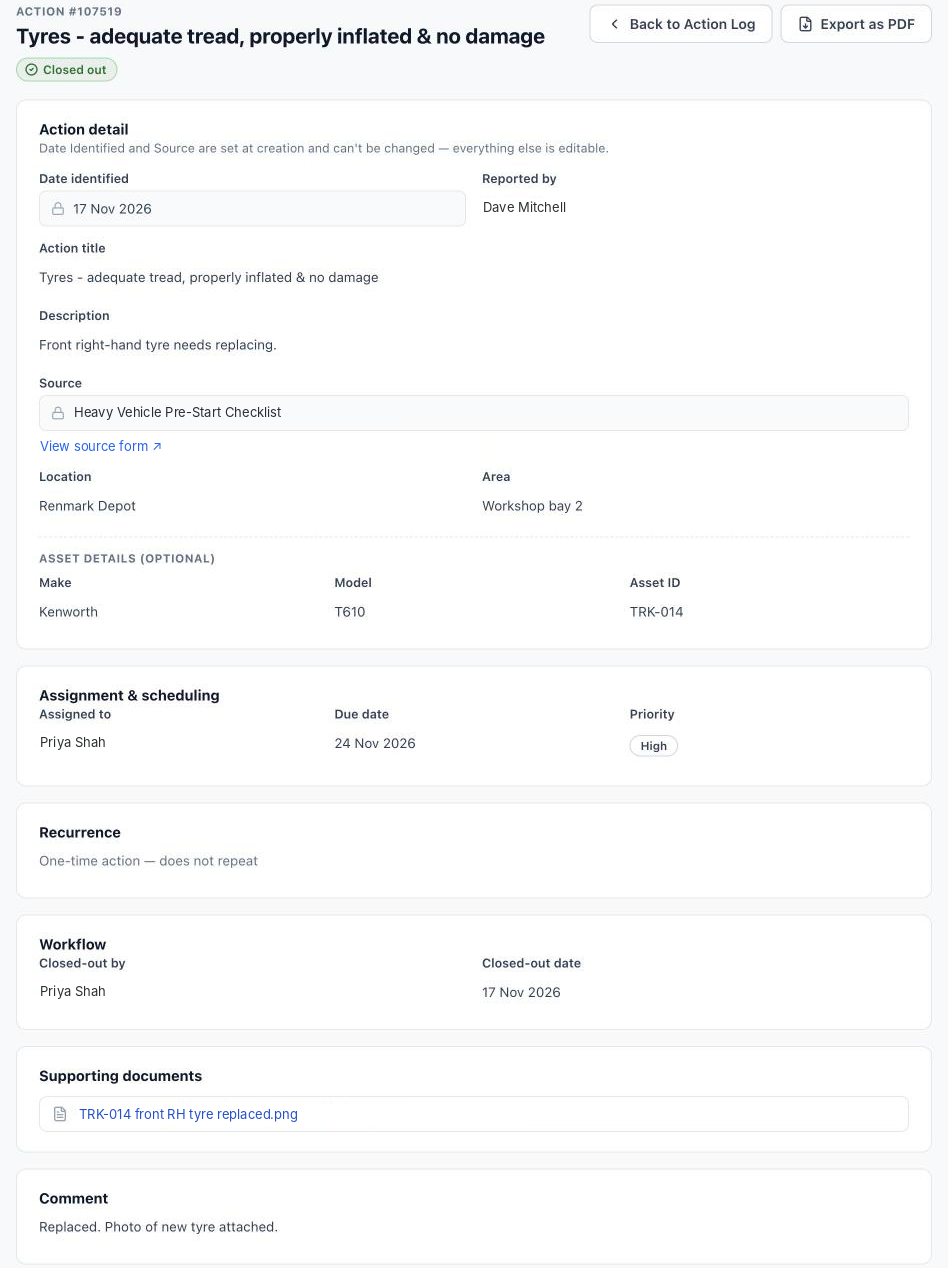
| 4. Defects become tracked actions | A failed check should create a task with an owner and a due date, and stay open until someone closes it with proof. |
| 5. Timestamped records you can pull fast | If an auditor or insurer asks for last March’s pre-starts on one truck, you should find them in minutes, not hours. |
| 6. Quick for drivers | If it takes more than a few minutes, drivers will rush or skip it. Look for smart fields, clear pass/fail choices and no repeated typing. |
| 7. Customisable to your fleet | A prime mover, a trailer, a forklift and a ute don’t need the same checks. You should be able to build or adjust checklists yourself. |
| 8. Simple to trial, easy to leave | Look for a real trial with your own checklist, clear pricing, and the ability to export your data. |
If you only have time to check three, check 3, 4 and 5. Together they turn a pre-start from a form into proof.
How to trial a pre-start checklist app in a week
- Day 1: Build your real checklist. Don’t use a generic template. Recreate the pre-start you actually use, plus a fit-for-duty declaration.
- Day 2: Test it without signal. Complete a checklist in airplane mode, then reconnect and confirm it syncs.
- Days 3–4: Hand it to two or three drivers. Don’t train them. If they can’t use it unaided, that’s useful to know.
- Day 5: Raise a defect on purpose. Log a fault with a photo and check it creates an action, goes to the right person and can be closed with evidence.
- Days 6–7: Run an “auditor” test. Ask for every pre-start on one vehicle for the week, and the history of one defect. Time how long it takes.
Where DIGI CLIP fits
DIGI CLIP is built around Find it. Fix it. Prove it. Drivers complete pre-starts on their phones, offline if they need to, with photos attached to defects. Failed checks can become actions that stay open until they’re closed with evidence, and records are timestamped and searchable. You can build your own checklists, so a prime mover, a trailer and a forklift each get the checks they need. You can see how it works on our fleet pre-start app page.
No credit card required. Build your own pre-start and test it with your drivers this week.
FAQ
Do I need a pre-start checklist app, or is paper still okay?
Paper can still meet the basics. The problem is proof and follow-up: paper is slow to search, easy to lose and doesn’t show that a defect was fixed. An app makes the evidence trail much easier to keep.
What is the “unfit to drive” duty?
It’s a new duty in the amended HVNL for drivers not to drive a heavy vehicle while unfit to drive. It covers more than fatigue. Check the NHVR’s guidance for exactly how it applies to drivers and employers.
Does the HVNL apply in every state?
No. The HVNL applies in participating jurisdictions (ACT, NSW, Queensland, South Australia, Tasmania and Victoria), not in Western Australia or the Northern Territory. Operators there should check their local requirements.
Can drivers complete the checklist without mobile coverage?
They can with an app that supports offline use. Test this before you commit: complete a checklist in airplane mode and confirm it syncs when the phone reconnects.
Sources: NHVR, HVNL reform implementation; NHVR, NHVAS transition to HVA; NHVR, HVA scheme tiers; NTC, Heavy Vehicle National Law; NHVR, 2026 Master Code.