Last updated:
A struck-by accident happens when a person is hit by a moving object, such as a vehicle or mobile plant, a falling tool or material, a swinging load, or a flying particle. Struck-by incidents are a leading cause of serious injuries and deaths at work, especially where people and machinery share the same space.
Preventing Struck-By Accidents: Causes, Controls and Checks
Being hit by something is one of the most common ways workers are seriously hurt. On a site it might be a reversing truck or a dropped tool from height. In a warehouse it might be a forklift or a falling carton. In a workshop it might be a grinding disc fragment. This guide covers the main types of struck-by hazards, the controls that work, and the checks that keep them in place.
Key points
- Struck-by hazards come from moving vehicles, falling objects, swinging loads and flying particles.
- Separating people from moving plant is the most effective control.
- Stop objects falling with edge protection, toe boards, tool lanyards and secure storage.
- Hard hats and eye protection reduce harm but don’t prevent the hit.
- Regular checks catch missing barriers, damaged racking and broken exclusion zones.
Types of struck-by hazards
| Type | Examples |
|---|---|
| Moving vehicles and plant | Reversing trucks, forklifts, excavators, loaders, cars in car parks |
| Falling objects | Tools and materials dropped from height, stock falling from racking |
| Swinging or suspended loads | Crane lifts, excavator buckets, hoists |
| Flying objects | Grinding fragments, nail gun misfires, burst hoses, tyre explosions |
| Collapsing structures | Unsecured loads, stacked materials, trench walls |
Controls that work
Vehicles and mobile plant
- Separate pedestrians from vehicles with barriers, walkways and exclusion zones
- Use a traffic management plan, one-way routes and designated loading areas
- Reduce reversing, and use spotters, cameras and proximity alarms where needed
Falling objects
- Edge protection, toe boards and mesh on scaffolds and platforms
- Tool lanyards when working at height
- Racking in good condition, loads within limits and stock stored securely
- Exclusion zones below overhead work
Suspended loads
- Lift plans, competent riggers and doggers, and no one under suspended loads
Flying objects
- Guards on grinders and machines, correct discs and tools, and screens between work areas
PPE
- Hard hats, safety glasses, high-visibility clothing and safety boots, as the last line of defence. See our guide to PPE.
Managing struck-by risks
- Map where things move. Identify vehicle routes, lifting areas, overhead work and high storage.
- Separate people. Use physical barriers, walkways and exclusion zones wherever possible.
- Stop things falling or flying. Fix edge protection, secure storage and guard machines.
- Set clear procedures. Cover reversing, lifting, work at height and entering exclusion zones.
- Check controls regularly. Inspect barriers, racking, guards and zones as part of routine inspections.
- Learn from near misses. Report and investigate every near miss involving a moving object.
What to check
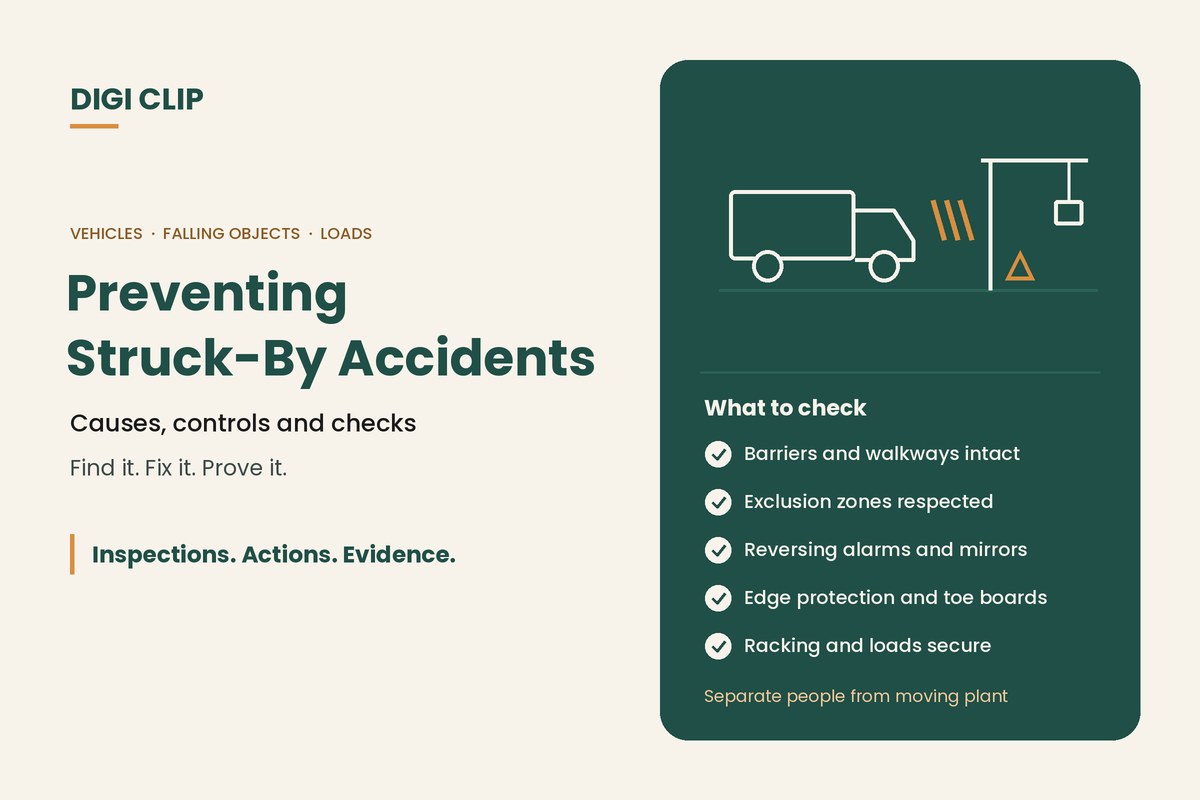
- Pedestrian barriers and walkways intact and used
- Exclusion zones marked and respected
- Mirrors, lights and reversing alarms working
- Edge protection and toe boards in place at height
- Racking undamaged and loads within limits
- Machine guards fitted and screens in place
See our guides to warehouse safety hazards and construction site safety inspections.
Struck-by checks on the phone
With DIGI CLIP, supervisors complete site and warehouse inspections on a phone, with photos of damaged barriers, racking or missing edge protection, and workers can report near misses as they happen. Each form is location- and time-stamped. Findings become actions in the Action Log, so they’re fixed and closed out with evidence.
Illustrative scenario: damaged pedestrian barrier
During a weekly warehouse inspection, a team leader finds a section of pedestrian barrier near the dock knocked over by a forklift. He fails the item in DIGI CLIP with a photo and cones off the gap. An action goes to facilities, the barrier is replaced and bolted down the next day, and the action is closed out with a photo.
This scenario is illustrative. It shows how a business could use DIGI CLIP and is not an account of a specific customer.
Keep Struck-By Controls in Place
Put inspections and near miss reports on your team’s phones and see problems land in the Action Log, ready to fix and prove.
Start Your 14-Day Free TrialNo credit card required. Set up in minutes.
Frequently asked questions
What is a struck-by accident?
An incident where a person is hit by a moving object, such as a vehicle or mobile plant, a falling tool or material, a swinging load, or a flying particle.
What are the most common struck-by hazards?
Moving vehicles and mobile plant, objects falling from height or racking, swinging or suspended loads, and flying objects from tools and machinery.
What is the best way to prevent struck-by accidents?
Separate people from moving vehicles and plant, stop objects falling or flying with edge protection, secure storage and guards, and set clear procedures, with PPE as the last line of defence.
Do hard hats prevent struck-by injuries?
Hard hats reduce the harm from falling objects, but they don’t stop objects falling. Higher-level controls such as edge protection, toe boards and exclusion zones should come first.
Why report struck-by near misses?
Near misses show where controls are failing before someone is hurt. Investigating them helps fix problems like blind corners, missing barriers or unsafe reversing.
Can struck-by hazards be reported on a phone?
Yes. In DIGI CLIP, inspections and near miss reports are completed on a phone with photos, and findings become actions in the Action Log.
About DIGI CLIP Mobile Forms
DIGI CLIP is an Australian-built mobile checklist and inspection platform. Inspections. Actions. Evidence. Teams complete checks on a phone or tablet, turn defects into assigned actions, and keep the proof that each one was fixed and verified.
See our Form Library for ready-made templates.