Last updated:
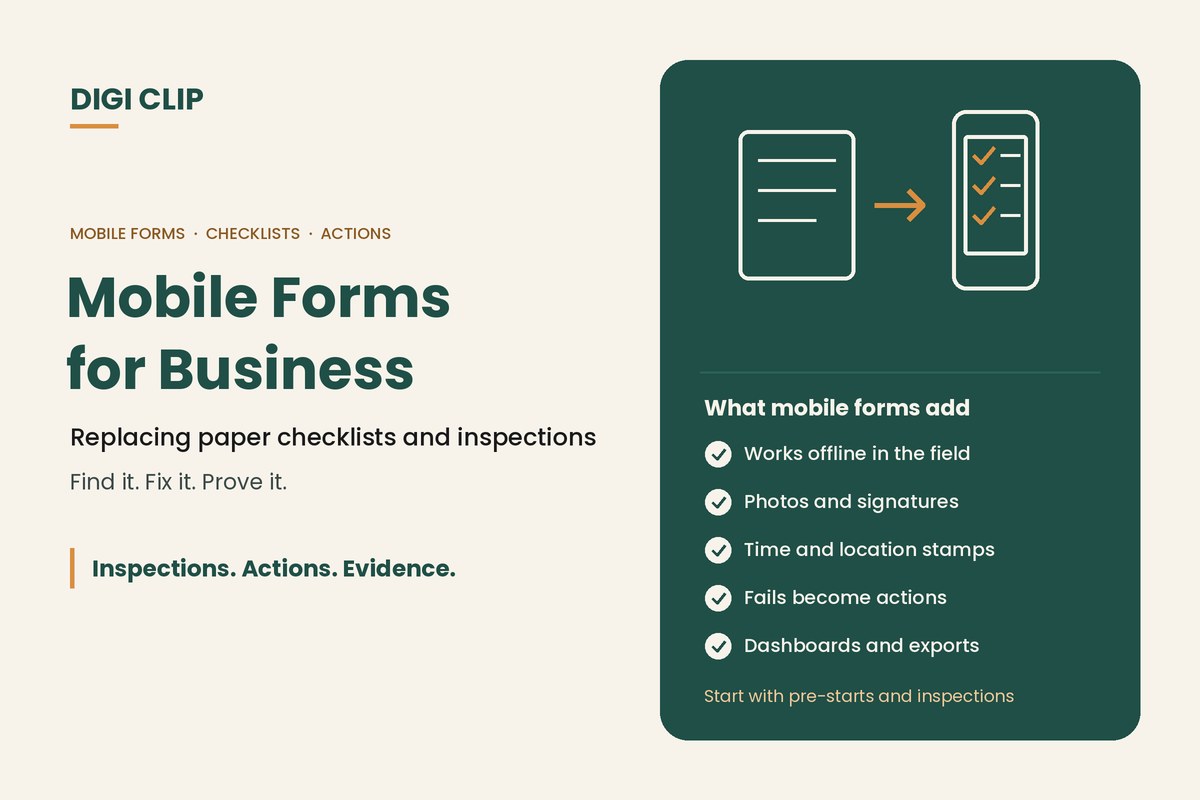
Mobile forms are digital versions of the checklists, inspections, reports and forms a business would otherwise complete on paper, filled in on a phone or tablet. They can capture photos, signatures, readings and location, work without coverage, and send the completed record straight to the office, with any problems flagged for follow-up.
Mobile Forms for Business: Replacing Paper Checklists and Inspections
Most businesses still run part of their operations on paper: pre-start books in trucks, inspection sheets on clipboards, incident reports in a folder. Paper works until it doesn’t. Forms get lost, filled in late or never read, and defects sit on a page instead of getting fixed. This guide explains what mobile forms are, how they compare with paper, which forms to digitise first, what features matter, and how to roll them out.
Key points
- Mobile forms replace paper checklists, inspections and reports with records on a phone or tablet.
- The biggest gain isn’t the form. It’s what happens to the problems it finds.
- Start with high-frequency, high-risk forms like pre-starts and inspections.
- Look for offline use, photos, signatures, time and location stamps, and follow-up actions.
- Keep forms short and involve the people who fill them in.
Paper vs mobile forms
| Paper forms | Mobile forms | |
|---|---|---|
| Speed | Collected, read and typed up later | Available as soon as they’re submitted |
| Evidence | Handwriting, no photos | Photos, signatures, time and location stamps |
| Follow-up | Depends on someone reading the form | Problems can create actions automatically |
| Consistency | Old versions stay in circulation | Everyone uses the current version |
| Finding records | Searching boxes and folders | Search, filter and export in seconds |
| Reporting | Manual tallies | Dashboards and trends |
Which forms to digitise first
- Pre-start and pre-use checks: trucks, light vehicles, forklifts and plant, completed every shift. See our truck pre-start checklist app.
- Workplace inspections: site, warehouse and workshop inspections with photos.
- Hazard and incident reports: including near misses, so problems are reported while they’re fresh.
- Audits: safety, quality and environmental audits with scoring.
- Operational records: temperature logs, cleaning schedules, maintenance requests and fuel records.
Start with forms that are completed often and where a missed problem could hurt someone. They show the benefit fastest.
Features that matter
- Works offline: for sites, depots, farms and vessels with patchy coverage.
- Photos and signatures: evidence of what was found and who checked it.
- Time and location stamps: show when and where the form was completed.
- Automatic follow-up: a failed item creates an action with an owner and due date.
- Reminders: recurring checks prompt people when they’re due.
- Easy form building: change forms yourself without waiting on a developer.
- Exports and dashboards: PDF and Excel exports for audits, and dashboards for trends.
For a detailed buying guide, see choosing an inspection checklist app and our guide to mobile compliance software for small businesses.
Rolling out mobile forms
- Pick one or two forms. Start with a high-frequency form such as a vehicle pre-start or site inspection.
- Simplify before you digitise. Remove questions nobody uses and make pass/fail criteria clear.
- Decide what happens on a fail. Set who gets the action and how quickly it must be fixed.
- Trial with a small team. Get feedback from the people who complete the form and adjust.
- Roll out and train. Show everyone how to complete the form and what happens to the problems they report.
- Review the results. Check completion rates, overdue actions and repeat problems, then add the next forms.
Common mistakes
- Copying the paper form exactly: long forms stay long on a phone. Trim first.
- No follow-up process: faster reporting doesn’t help if nobody acts on the results.
- Too many forms at once: start small and build confidence.
- Leaving out frontline workers: the people using the forms know what works in the field.
- Ignoring coverage: choose a tool that works offline if your people work remotely.
How DIGI CLIP mobile forms work
With DIGI CLIP, teams complete checklists, inspections and reports on a phone or tablet, with photos, signatures and smart fields, even without coverage. Each form is location- and time-stamped. When someone selects “No”, “Not OK” or “At Risk”, an action is created in the Action Log, assigned and tracked through to close-out with evidence. Dashboards show what’s been checked and what’s outstanding, and records export to PDF and Excel. The Form Library has ready-made templates across nine industry sectors.
Illustrative scenario: from paper pre-start books to mobile forms
A regional freight business moves its truck pre-starts from paper books to DIGI CLIP. In the first week, a driver fails a cracked mirror, which creates an action for the workshop instead of sitting in a book in the cab. The mirror is replaced that afternoon and the action is closed out with a photo, and the fleet manager can now see every truck’s pre-start status on one dashboard.
This scenario is illustrative. It shows how a business could use DIGI CLIP and is not an account of a specific customer.
Swap Paper Forms for Mobile Forms
Put your checklists and inspections on your team’s phones and see problems land in the Action Log, ready to fix and prove.
Start Your 14-Day Free TrialNo credit card required. Set up in minutes.
Frequently asked questions
What are mobile forms?
Digital versions of checklists, inspections, reports and other forms, completed on a phone or tablet. They can capture photos, signatures, readings and location, and send the record straight to the office.
What are the benefits of mobile forms over paper?
Faster access to results, better evidence such as photos and time and location stamps, automatic follow-up of problems, consistent current versions, easy searching and exports, and dashboards for trends.
Which forms should a business digitise first?
High-frequency, high-risk forms such as vehicle and plant pre-starts, workplace inspections, and hazard and incident reports. They show the benefit fastest.
Do mobile forms work without internet?
Good mobile form apps do. In DIGI CLIP, forms can be completed without coverage and submitted with a tap once the device is back online.
Are digital forms accepted as records for compliance?
Generally, yes. Digital records are widely used to show inspections, checks and actions were completed, as long as they are accurate, complete and can be produced when needed. Check any specific record-keeping rules that apply to your industry.
How long does it take to set up mobile forms?
You can start with a ready-made template in minutes. Most businesses trial one or two forms with a small team first, then roll out more forms once the process is working.
About DIGI CLIP Mobile Forms
DIGI CLIP is an Australian-built mobile checklist and inspection platform. Inspections. Actions. Evidence. Teams complete checks on a phone or tablet, turn defects into assigned actions, and keep the proof that each one was fixed and verified.
See our Form Library for ready-made templates.