Last updated:
A workplace risk assessment is the process of identifying hazards, working out how likely they are to cause harm and how serious that harm could be, and deciding what controls are needed. It is a core part of managing work health and safety risks, and it should be repeated whenever work, equipment or conditions change.
Workplace Risk Assessments: A Practical Guide to Managing WHS Risks
Every business has hazards. A risk assessment is how you decide which ones matter most and what to do about them. Done well, it doesn’t have to be complicated or buried in paperwork. This guide covers the four-step risk management process, how to use a risk matrix, the hierarchy of controls, common mistakes, and practical strategies to keep risk management working day to day.
Key points
- Follow four steps: identify hazards, assess risks, control risks and review controls.
- Rate risk by likelihood and consequence, using a simple risk matrix.
- Choose controls using the hierarchy of controls, starting with removing the hazard where you can.
- Consult the workers who do the job; they know the real hazards.
- Review controls when they fail, when things change or when new hazards appear.
What WHS law expects
Under the model Work Health and Safety laws, a business must remove risks to health and safety so far as is reasonably practicable, and where that isn’t possible, minimise them. The WHS Regulations set out how to do this, including using the hierarchy of controls and reviewing control measures in certain situations, such as when a control isn’t working, before a change at the workplace, when a new hazard is identified, or when a health and safety representative asks for a review.
Safe Work Australia’s Code of Practice on how to manage work health and safety risks describes a four-step process. Some hazards, such as hazardous chemicals, plant and falls, also have their own specific requirements.
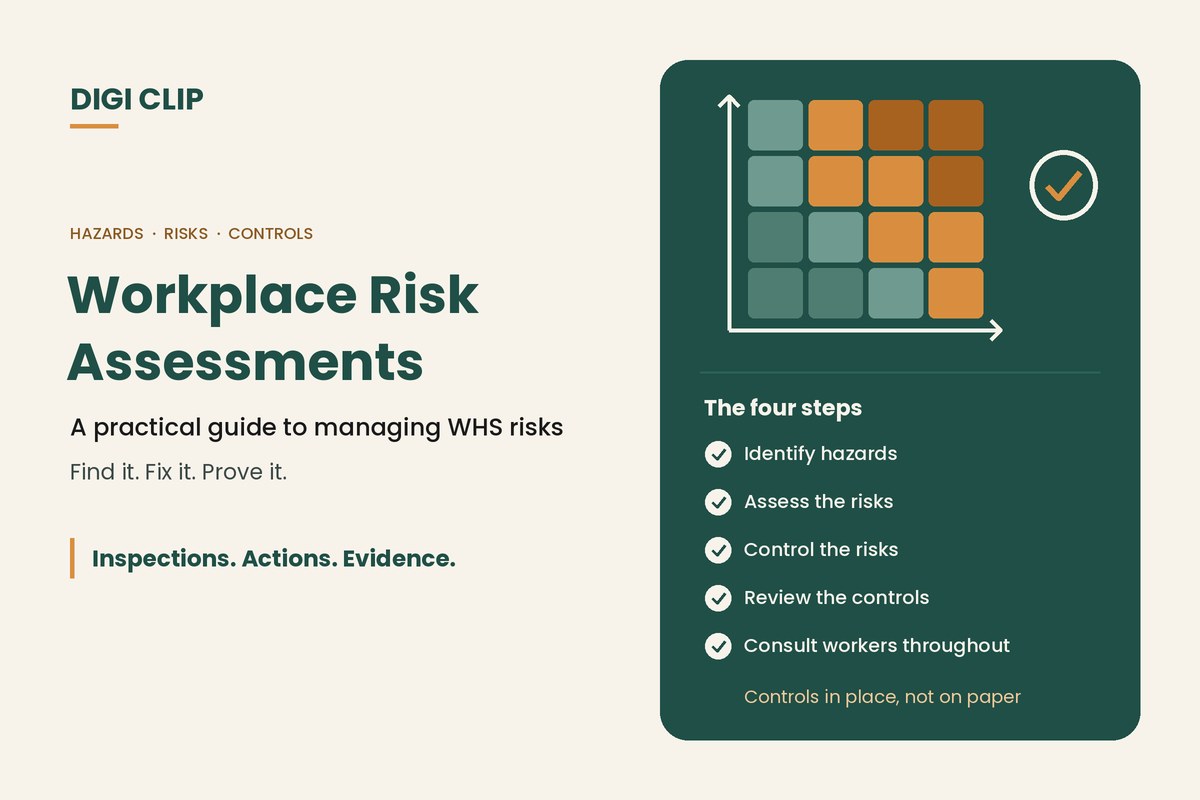
The four-step risk management process
- Identify hazards. Walk the workplace, talk to workers, review incidents and near misses, and check manufacturer information and safety data sheets to find what could cause harm.
- Assess the risks. For each hazard, consider what could happen, how likely it is and how serious the harm could be. Where a hazard and its controls are well known, you may not need a detailed assessment.
- Control the risks. Choose the most effective controls that are reasonably practicable, working down the hierarchy of controls, and put them in place.
- Review the controls. Check that controls are working as planned, and review them when things change, when an incident happens or when workers raise concerns.
Using a risk matrix
A risk matrix combines likelihood and consequence to give a risk rating, so you can prioritise. A simple example:
| Likelihood | Minor | Moderate | Major | Severe |
|---|---|---|---|---|
| Almost certain | Medium | High | Extreme | Extreme |
| Likely | Medium | High | High | Extreme |
| Possible | Low | Medium | High | High |
| Unlikely | Low | Low | Medium | High |
Agree what each rating means in practice, such as extreme risks stopping work until controlled, and use the same matrix across the business so ratings are consistent.
The hierarchy of controls
Controls are ranked from most to least effective. Work down the list and use a combination where needed:
- Remove the hazard altogether, for example by stopping a task or removing a chemical.
- Substitute something safer, such as a less hazardous chemical or a smaller load.
- Isolate people from the hazard, for example with barriers or exclusion zones.
- Use engineering controls, such as guards, ventilation or lifting aids.
- Use administrative controls, such as procedures, training, signage and rosters.
- Use personal protective equipment, such as gloves, hearing protection and hard hats.
Administrative controls and PPE rely on people doing the right thing every time, so they should support higher-level controls rather than replace them.
Common risk assessment mistakes
- Desk-based assessments written without looking at the work or talking to the people who do it.
- Jumping to PPE without considering higher-level controls.
- Set and forget: assessments that are never reviewed after changes or incidents.
- Too generic: copied templates that don’t reflect your site, equipment or people.
- No follow-through: controls identified but never put in place or checked.
Strategies that keep risk management working
- Lead from the top: managers who ask about risks, fund controls and follow up on actions set the tone.
- Consult genuinely: involve workers and health and safety representatives in identifying hazards and choosing controls.
- Check controls in the field: use regular workplace inspections and pre-start checks to confirm controls are in place and working.
- Make reporting easy: hazards, near misses and incidents should be simple to report, and reports should lead to action.
- Train for the risks: make sure people understand the hazards of their work and the controls that protect them.
- Learn from incidents: investigate to find root causes, then update risk assessments. See our 5 Whys guide.
With DIGI CLIP, Safety Tracker hazard assessments use a risk matrix (likelihood × consequence) with standardised templates, control measures and risk ratings. Checks and assessments are completed on a phone or tablet, each form is location- and time-stamped, and actions flow into the Action Log to be assigned, tracked and closed out with evidence.
Illustrative scenario: a new loading bay layout
Before changing the layout of a loading bay, a warehouse team reviews the risk assessment together. They identify a new blind corner where forklifts and pedestrians would meet, rate it high risk and choose to isolate the walkway with barriers rather than rely on signage alone. The barrier installation is raised as an action and closed out with a photo before the new layout goes live.
This scenario is illustrative. It shows how a business could use DIGI CLIP and is not an account of a specific customer.
See also our guides to workplace safety hazards and risk assessments in construction.
Turn Risk Assessments Into Real Controls
Assess hazards on site and see the controls you need land in the Action Log, ready to fix and prove.
Start Your 14-Day Free TrialNo credit card required. Set up in minutes.
Frequently asked questions
What is a workplace risk assessment?
A workplace risk assessment is the process of identifying hazards, working out how likely they are to cause harm and how serious that harm could be, and deciding what controls are needed. It is a core part of managing work health and safety risks, and it should be repeated whenever work, equipment or conditions change.
What are the four steps of risk management?
Identify hazards, assess the risks, control the risks, and review the control measures to make sure they are working as planned.
What is the hierarchy of controls?
A ranking of controls from most to least effective: removing the hazard, substitution, isolation, engineering controls, administrative controls and personal protective equipment.
When should a risk assessment be reviewed?
When a control isn’t working, before a change at the workplace, when a new hazard or risk is identified, after an incident, when consultation shows a review is needed, or when a health and safety representative asks for one.
Who should be involved in a risk assessment?
The people who do the work, their supervisors, health and safety representatives where there are any, and anyone with specialist knowledge of the hazard, such as a maintenance technician or safety adviser.
What is a risk matrix?
A table that combines how likely a hazard is to cause harm with how severe that harm could be, to give a risk rating such as low, medium, high or extreme. It helps prioritise which risks to deal with first.
About DIGI CLIP Mobile Forms
DIGI CLIP is an Australian-built mobile checklist and inspection platform. Inspections. Actions. Evidence. Teams complete checks on a phone or tablet, turn defects into assigned actions, and keep the proof that each one was fixed and verified.
See our Form Library for ready-made templates.