Last updated:
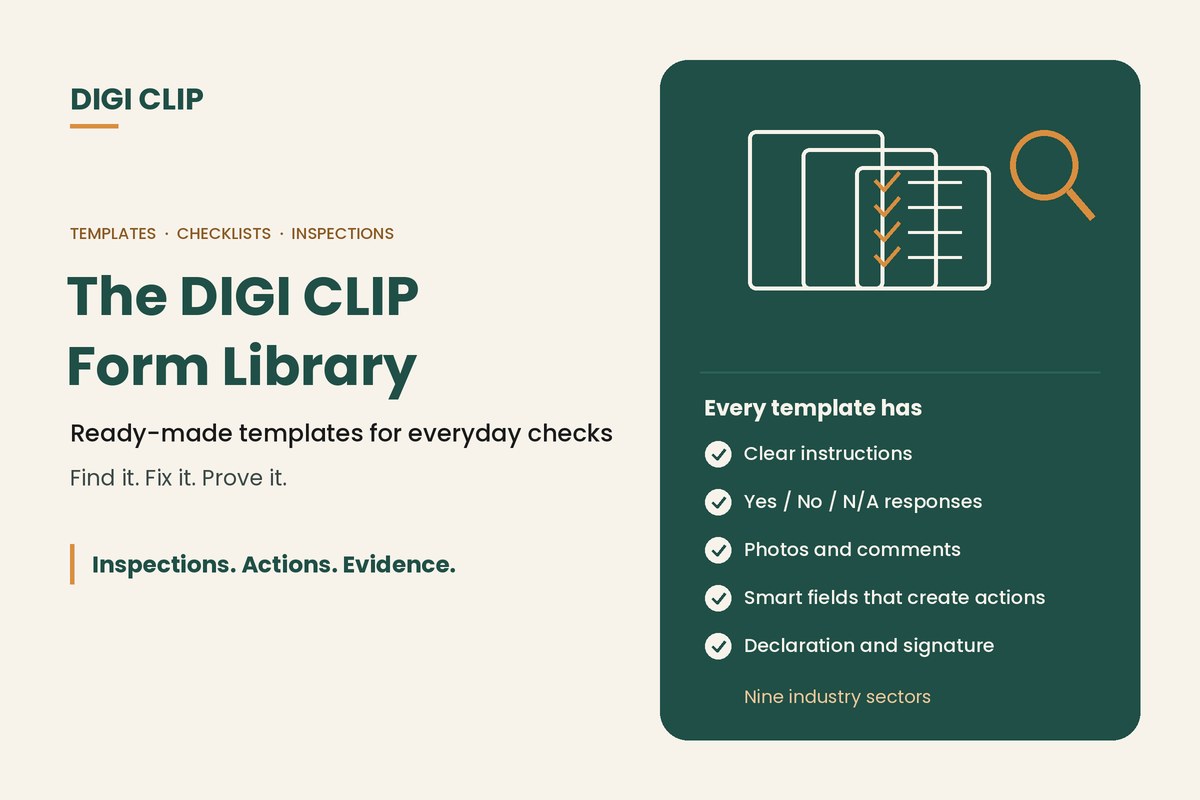
The DIGI CLIP Form Library is a collection of ready-made mobile checklist, inspection and report templates across nine industry sectors. Each template includes clear instructions, Yes / No / N/A responses with photo and comment fields, and a declaration, and can be used as-is or tailored to your business before rolling it out to your team.
The DIGI CLIP Form Library: Ready-Made Checklists and Inspection Templates
Building checklists from scratch takes time, and it’s easy to miss something important. The DIGI CLIP Form Library gives you a head start with templates for pre-starts, inspections, audits and reports, set up the way field teams actually use them. This page explains what’s in the library, how templates are structured, and how to put one to work.
Key points
- Ready-made templates across nine industry sectors.
- Every template has instructions, Yes / No / N/A responses, photos, comments and a declaration.
- Smart fields create an action when an item fails.
- Use templates as-is or tailor the questions to your site and equipment.
- Build your own forms for anything the library doesn’t cover.
What’s in the Form Library
Templates cover the everyday checks, inspections and reports field teams complete. Examples include:
| Area | Example templates |
|---|---|
| Transport and logistics | Truck and light vehicle pre-starts, forklift pre-starts, Driver Maintenance Request (DMR), Fuel Purchase |
| Construction and plant | Site safety inspections, plant pre-starts, boom lift pre-operational checks, harness pre-use inspections |
| Mining | Equipment pre-starts, haul truck and light vehicle inspections, task-based risk assessments |
| Manufacturing | Machine start-up checks, maintenance and lubrication logs, quality checks |
| Food and hospitality | Food safety and temperature logs, cleaning schedules, pest control inspections |
| Agriculture | Farm safety audits and machinery checks |
| Facilities and accommodation | Fire and emergency equipment checks, room and unit condition reports, contractor sign-in |
| General WHS | Hazard reports, incident and near miss reports, risk assessments, ladder inspections, toolbox talks |
How templates are built
- Purpose: a short explanation of what the form is for.
- Instructions: select Yes, No or N/A, and if No, describe the issue and add a photo.
- Responses: Yes / No / N/A options with photo and comment fields on each item.
- Smart fields: a “No”, “Not OK” or “At Risk” response creates an action in the Action Log.
- Declaration and signature: the person completing the form confirms the information is accurate and complete to the best of their knowledge.
- Evidence: every submitted form is location- and time-stamped.
Using a template
- Open the Form Library. Browse by industry or search for the check you need, such as “truck pre-start” or “warehouse inspection”.
- Preview the template. Check the questions match your equipment, site and procedures.
- Tailor it. Add, remove or reword questions, and set who receives actions when items fail.
- Assign it. Make the form available to the right teams and set recurring reminders if it’s a regular check.
- Trial it. Have a few workers use it and tell you what’s unclear.
- Review results. Use dashboards and the Action Log to see completion and open actions, and refine the form.
Tailoring tips
- Keep it short: remove questions that don’t apply to your equipment or site.
- Be specific: “Brake air pressure builds within normal time” is clearer than “Brakes OK”.
- Use your procedures: reference your own SWMS, isolation procedures or site rules where relevant.
- Check against your obligations: templates are a starting point, so confirm they cover the requirements that apply to your business.
Illustrative scenario: a warehouse starts with two templates
A distribution centre starts with the forklift pre-start and warehouse inspection templates. The operations manager removes questions about equipment it doesn’t use, adds its own racking load limits, and sets the maintenance lead to receive forklift actions. Within a week, every forklift has a daily pre-start on record and defects go straight to maintenance.
This scenario is illustrative. It shows how a business could use DIGI CLIP and is not an account of a specific customer.
See how templates are used across sectors in our guide to digital checklists by industry, and read what DIGI CLIP is.
Start With a Ready-Made Template
Pick a template from the Form Library, put it on your team’s phones, and see problems land in the Action Log, ready to fix and prove.
Start Your 14-Day Free TrialNo credit card required. Set up in minutes.
Frequently asked questions
What is the DIGI CLIP Form Library?
A collection of ready-made mobile checklist, inspection and report templates across nine industry sectors, which you can use as-is or tailor before rolling out to your team.
Which industries does the Form Library cover?
Templates cover sectors including transport and logistics, construction and plant, mining, manufacturing, food and hospitality, agriculture, facilities and accommodation, and general WHS.
Can I change the templates?
Yes. You can add, remove or reword questions, set who receives actions when items fail, and build your own forms for anything the library doesn’t cover.
What does each template include?
A short purpose, instructions, Yes / No / N/A responses with photo and comment fields, smart fields that create actions, and a declaration with a signature.
Are the templates compliant with Australian WHS laws?
Templates are a practical starting point, but every business has different obligations. Review and tailor each template so it covers the requirements that apply to your work.
How many templates can I use?
It depends on your plan. The Lite plan includes up to five form templates, and other plans include more.
About DIGI CLIP Mobile Forms
DIGI CLIP is an Australian-built mobile checklist and inspection platform. Inspections. Actions. Evidence. Teams complete checks on a phone or tablet, turn defects into assigned actions, and keep the proof that each one was fixed and verified.
See how DIGI CLIP works at Find it. Fix it. Prove it.