Last updated:
A toolbox talk is a short, informal safety meeting held at the workplace, usually before a shift or task, where a supervisor and workers discuss a specific hazard, a recent incident or the work planned for the day. Good toolbox talks are two-way conversations, not lectures, and are one practical way to consult workers about safety.
Effective Toolbox Talks: How to Run Them and Keep Them Useful
Most workers have sat through a toolbox talk that was read off a sheet while everyone waited to get on with the job. That kind of talk ticks a box but changes nothing. A good toolbox talk is short, relevant to today’s work and gets people talking. This guide covers what makes toolbox talks effective, how to run one, topic ideas, and how to record them.
Key points
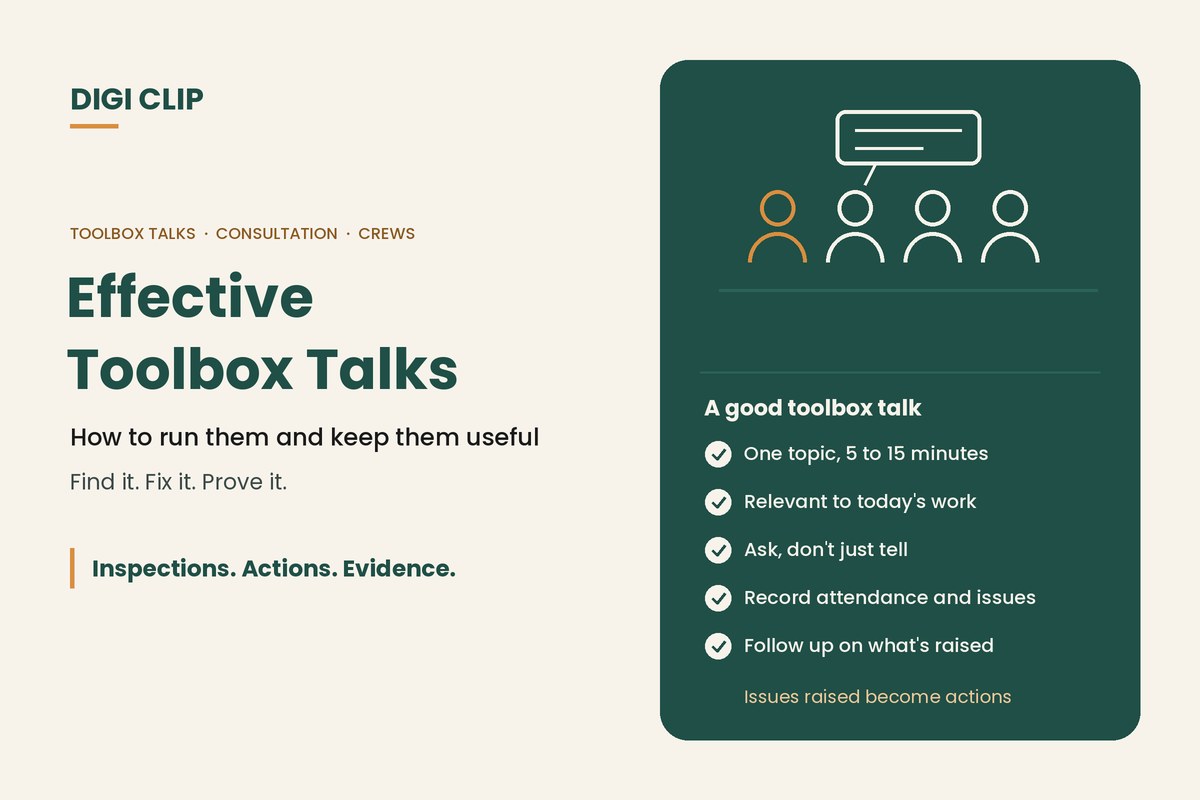
- Keep talks short, usually 5 to 15 minutes, and focused on one topic.
- Make it relevant to today’s work, site or a recent incident.
- Ask questions and listen. The best information comes from the crew.
- Record attendance and any issues raised.
- Follow up on what people raise, or they’ll stop raising things.
Why toolbox talks matter
Under WHS laws, businesses must consult workers about health and safety matters that affect them, including when identifying hazards, deciding on controls and making changes. Toolbox talks are one practical way to do this day to day. They also help:
- brief crews on today’s hazards and controls
- share lessons from incidents and near misses
- reinforce procedures before high-risk tasks
- give workers a regular chance to raise concerns
How to run a toolbox talk
- Pick one topic. Choose something relevant to today’s work, a recent incident or a hazard seen on site.
- Prepare briefly. Know the two or three key points you want people to remember.
- Hold it where the work happens. Use real examples, equipment or the actual work area.
- Ask, don’t just tell. Ask the crew what could go wrong and what they’d do about it.
- Record it. Note the topic, attendees and any issues or suggestions raised.
- Follow up. Turn issues raised into actions, and report back at the next talk.
Toolbox talk topic ideas
| Area | Topic ideas |
|---|---|
| Vehicles and plant | Pre-start checks, reversing and spotters, exclusion zones, forklift and pedestrian separation |
| Working at height | Ladder setup, edge protection, harness checks |
| Manual handling | Team lifts, mechanical aids, awkward loads |
| Health | Heat and hydration, fatigue, noise and hearing protection, sun safety |
| Hazardous substances | Reading SDS and labels, spill response, silica dust |
| Emergency | Evacuation points, first aid kits, fire extinguishers |
| Incidents | A recent near miss: what happened and what’s changed |
For short messages to open a talk, see our safety slogans and messages.
Common mistakes
- Reading from a script: people switch off. Talk, don’t read.
- Irrelevant topics: a talk about ladders on a day nobody is using one wastes the chance.
- Too long: more than 15 minutes and attention drops.
- No follow-up: if issues raised go nowhere, people stop raising them.
- Sign-in only: an attendance sheet proves people were there, not that anything changed.
Recording toolbox talks
With DIGI CLIP, supervisors record toolbox talks on a phone: topic, attendees with signatures, issues raised and photos. Each form is location- and time-stamped. Issues raised become actions in the Action Log, with an owner and due date, so the crew can see what came of them.
Illustrative scenario: an issue raised at a toolbox talk
At a morning toolbox talk on forklift safety, a picker mentions that a mirror at a blind corner in the warehouse is broken. The supervisor records it in DIGI CLIP, which creates an action for facilities. The mirror is replaced that afternoon, and at the next day’s talk the supervisor shows the closed-out action.
This scenario is illustrative. It shows how a business could use DIGI CLIP and is not an account of a specific customer.
Make Toolbox Talks Count
Record toolbox talks on your phone and see issues raised land in the Action Log, ready to fix and prove.
Start Your 14-Day Free TrialNo credit card required. Set up in minutes.
Frequently asked questions
What is a toolbox talk?
A short, informal safety meeting held at the workplace, usually before a shift or task, where a supervisor and workers discuss a specific hazard, a recent incident or the day’s work.
How long should a toolbox talk be?
Usually 5 to 15 minutes, focused on one topic. Longer talks tend to lose people’s attention.
Are toolbox talks a legal requirement?
WHS laws don’t specifically require toolbox talks, but they do require businesses to consult workers about health and safety. Toolbox talks are a common, practical way to do that.
What should be recorded for a toolbox talk?
The date, topic, who ran it, who attended, and any issues or suggestions raised, along with the actions taken in response.
How often should toolbox talks be held?
It depends on the work. Many sites hold them daily or at the start of each shift, while others hold them weekly or before high-risk tasks.
Can toolbox talks be recorded digitally?
Yes. In DIGI CLIP, toolbox talks are recorded on a phone with signatures and photos, and issues raised become actions in the Action Log.
About DIGI CLIP Mobile Forms
DIGI CLIP is an Australian-built mobile checklist and inspection platform. Inspections. Actions. Evidence. Teams complete checks on a phone or tablet, turn defects into assigned actions, and keep the proof that each one was fixed and verified.
See our Form Library for ready-made templates.