
Chain of Responsibility checklist app for heavy vehicle operators
DIGI CLIP is a mobile checklist and inspection app that records pre-starts, load restraint checks and defect fixes, with photos and timestamps. Plans start from A$3.50 per user per month (including GST), billed monthly, with no minimum number of users.
Try it free for 14 daysNo credit card required.
What Chain of Responsibility asks of you
Under the Heavy Vehicle National Law (HVNL), Chain of Responsibility (CoR) makes every business that influences a heavy vehicle's journey responsible for its safety, not just the driver. That includes employers, operators, schedulers, consignors, packers and loaders. The core duty is to keep your transport activities safe, so far as is reasonably practicable.
Drivers have their own duty as well. Since 1 August 2026, a driver of a heavy vehicle over 4.5 tonnes must not drive while impaired by fatigue or otherwise unfit, and a business must not cause or encourage them to.
A checklist app records the checks you do and what you did about them. It doesn't make a business compliant. Read the NHVR's Chain of Responsibility guidance for your own obligations.
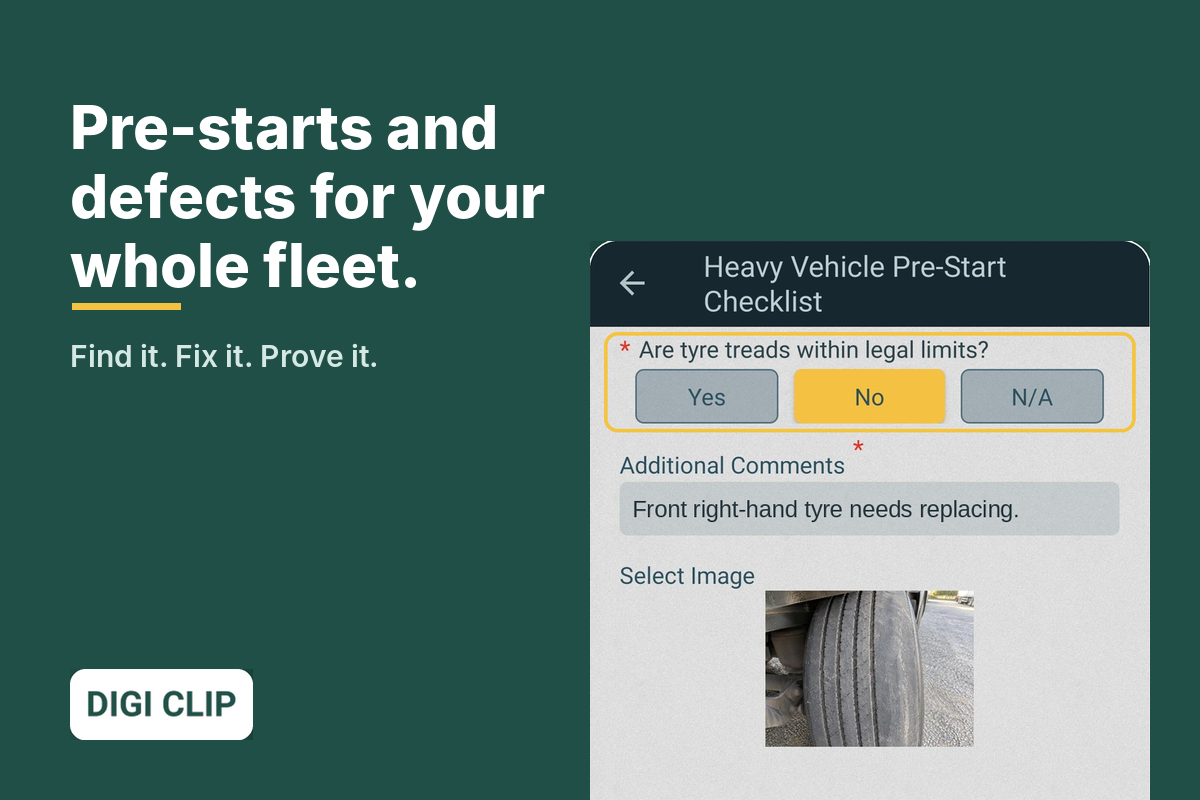
Find it. Fix it. Prove it.
Find it
Run your pre-start and load restraint checks on a phone. Answer Yes, No or N/A, and add a comment and a photo to any No.
Fix it
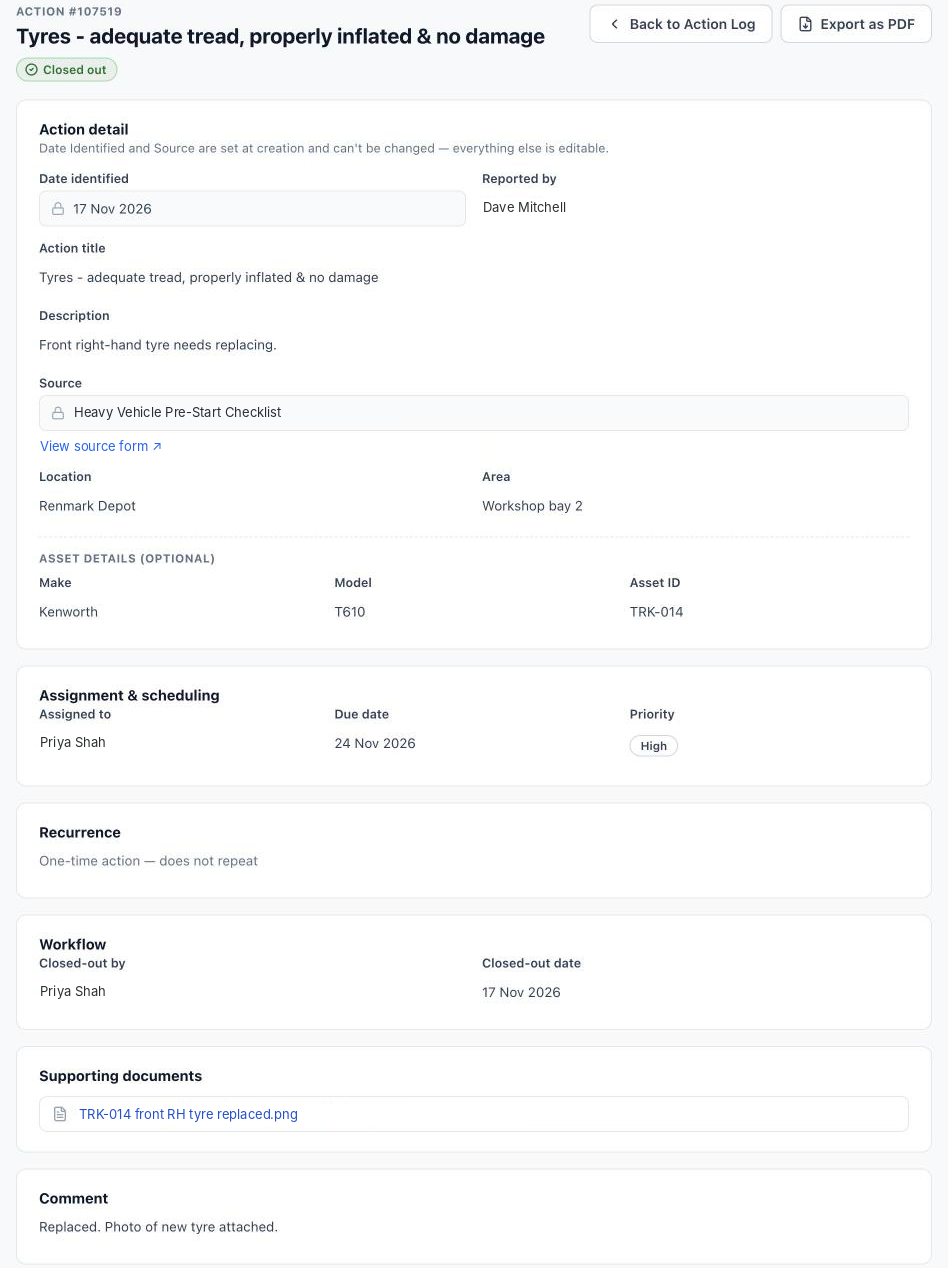
A failed answer on a smart field creates an action in the Action Log, assigned to someone. If it goes overdue, an alert email goes out.
Prove it
A close-out verification form records the fix. Every form is location- and time-stamped, and you can export records to PDF, Excel or CSV.
What DIGI CLIP covers and what it doesn't
| Covers | Doesn't cover |
|---|---|
| Pre-starts and load restraint checks | An Electronic Work Diary. Use an NHVR-approved EWD for work diaries |
| Fit for Work declarations. The form records what the driver declares; it doesn't assess them | An asset register |
| Defect follow-up in the Action Log | Work orders |
| Photos, comments and digital signatures | Making your business CoR compliant. No app does that by itself |
Templates you can start with
The Form Library has templates across nine industry sectors. For transport, start with the Load Restraint Compliance Checklist, the OSOM Load Restraint Safety and Compliance Checklist or the Fit for Work Declaration. Adjust any template to suit your fleet, add your own branding, or build your own form.
Looking for the daily check as well? See the truck pre-start checklist app.
Pricing
| Plan | Price per user per month | Form templates |
|---|---|---|
| DIGI CLIP lite | A$3.50 | 5 |
| DIGI CLIP plus | A$4.50 | 60 |
| DIGI CLIP compliant | A$5.50 | 60, plus the Safety Tracker module |
Every plan includes the mobile app, unlimited form submissions, the Action Log, dashboards, PDF and Excel export and email support. Billed monthly, no minimum users.
Prices are in AUD, include GST and are correct as at November 2026. Check the pricing page for the latest.
Frequently asked questions
What is a Chain of Responsibility checklist app?
A Chain of Responsibility (CoR) checklist app is software for completing and storing the checks that support your CoR duties, such as pre-starts, load restraint checks and defect follow-up. It records what you checked and what you did about it. It doesn't replace your safety management system.
Does DIGI CLIP make my business CoR compliant?
No, and no app does by itself. DIGI CLIP records timestamped checks, defect photos and assigned, closed-out actions that support your CoR due diligence. Your business still has to manage its own risks and meet its own obligations.
Is DIGI CLIP an Electronic Work Diary?
No. DIGI CLIP is not an Electronic Work Diary (EWD). For work diaries, use an NHVR-approved EWD.
Does it work without mobile coverage?
Yes, you can complete forms without coverage. They're stored in the Offline folder on your device. Submit them manually once you're back online.
Can I record load restraint checks?
Yes. The Form Library includes the Load Restraint Compliance Checklist and the OSOM Load Restraint Safety and Compliance Checklist. Complete them on your phone, add photos and comments, and sign on the device.
How do I show a defect was fixed?
A failed answer on a smart field creates an action in the Action Log. When the fix is done, a close-out verification form records it. You can open the original report, with its photos, from the action.
Can I export records for an audit?
Yes. You can export records to PDF, Excel or CSV, and export in bulk as PDF.
How much does it cost?
From A$3.50 per user per month, including GST, billed monthly, with no minimum number of users. The Lite plan includes up to five templates. You can try it free for 14 days. Prices are correct as at November 2026; check the pricing page for the latest.
Related guides
Pricing | Action Log | Truck pre-start checklist app | Chain of Responsibility guide